Updating the WooCommerce iPOSpays Payment Gateway Plugin
The WooCommerce iPOSpays Payment Gateway Plugin receives frequent updates that introduce new features, improvements, and important fixes. Keeping your plugin updated ensures you get the best performance, security, and access to the latest capabilities.
This document provides step-by-step instructions on how to update the plugin.
How to Update Your Plugin
You can update your WooCommerce iPOSpays Payment Gateway Plugin in two ways:
1. Auto-Updates
-
Log in to your WordPress admin dashboard.
-
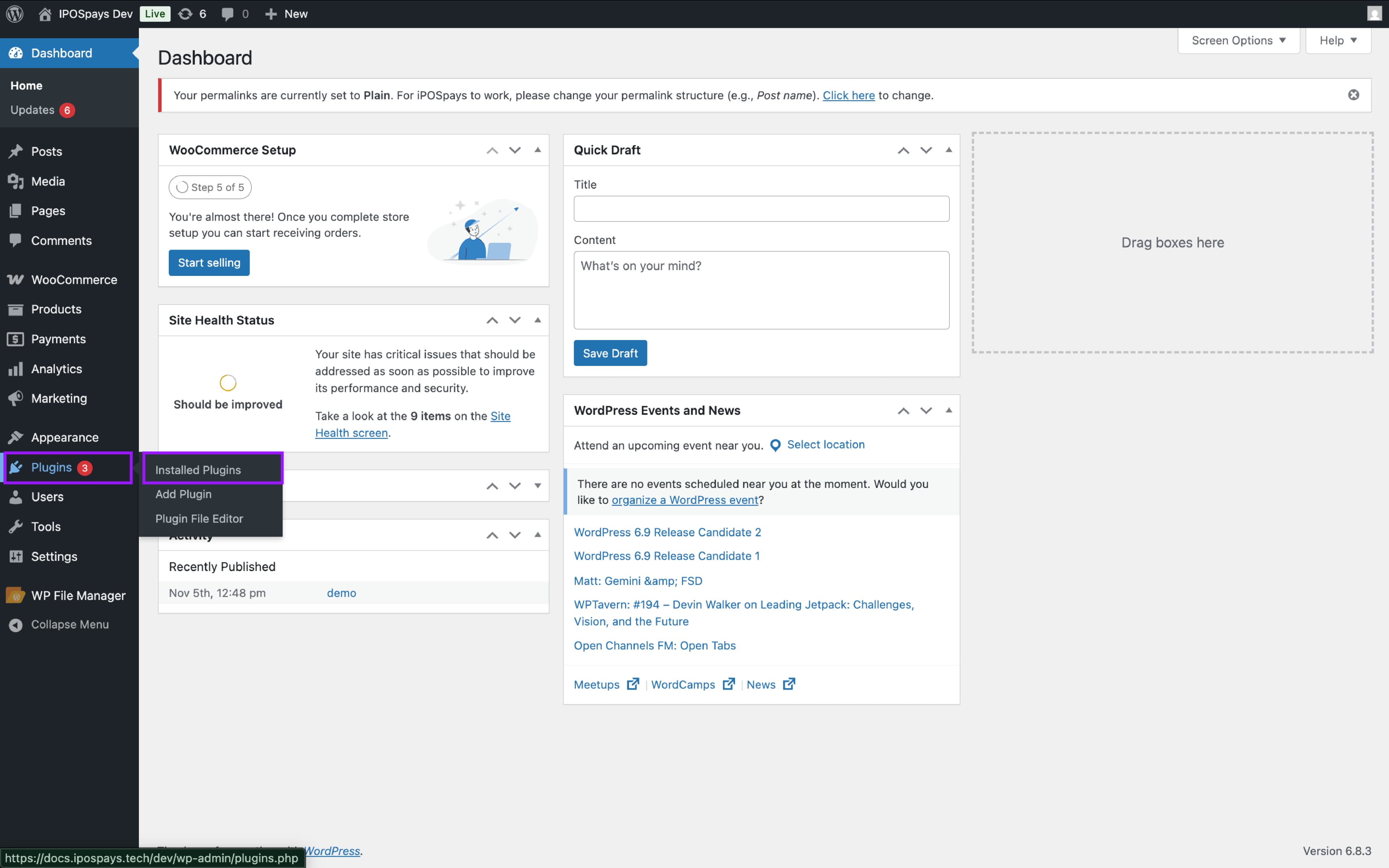
Navigate to Plugins → Installed Plugins.
-
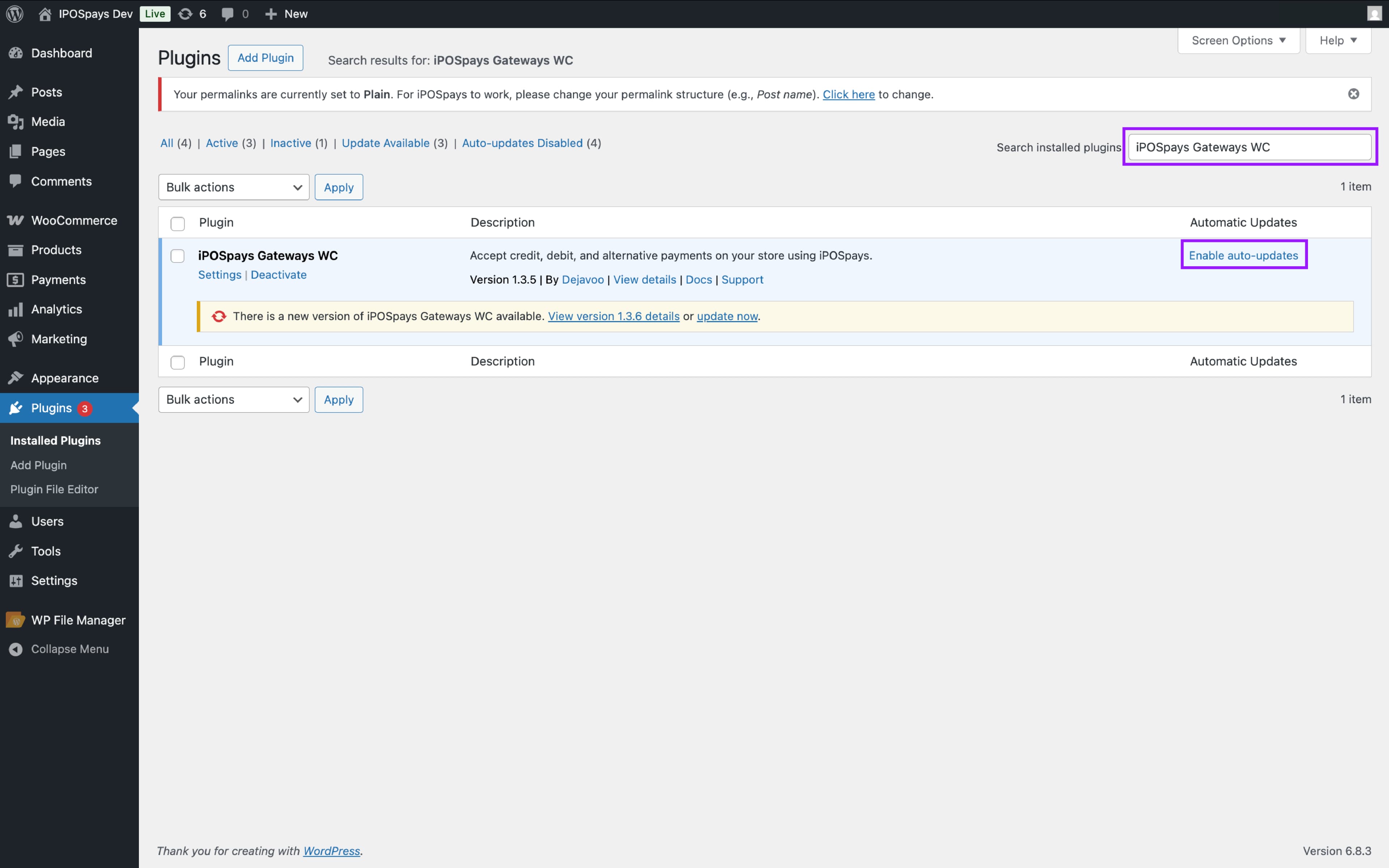
Search for “iPOSpays Gateways WC” in the plugin list.
-
To receive the latest updates automatically, enable Auto-updates.
- Once enabled, updates will be applied automatically within 3 hours.
2. Manual Updates
You can manually update the plugin using either of the following methods:
Method 1: From Installed Plugins
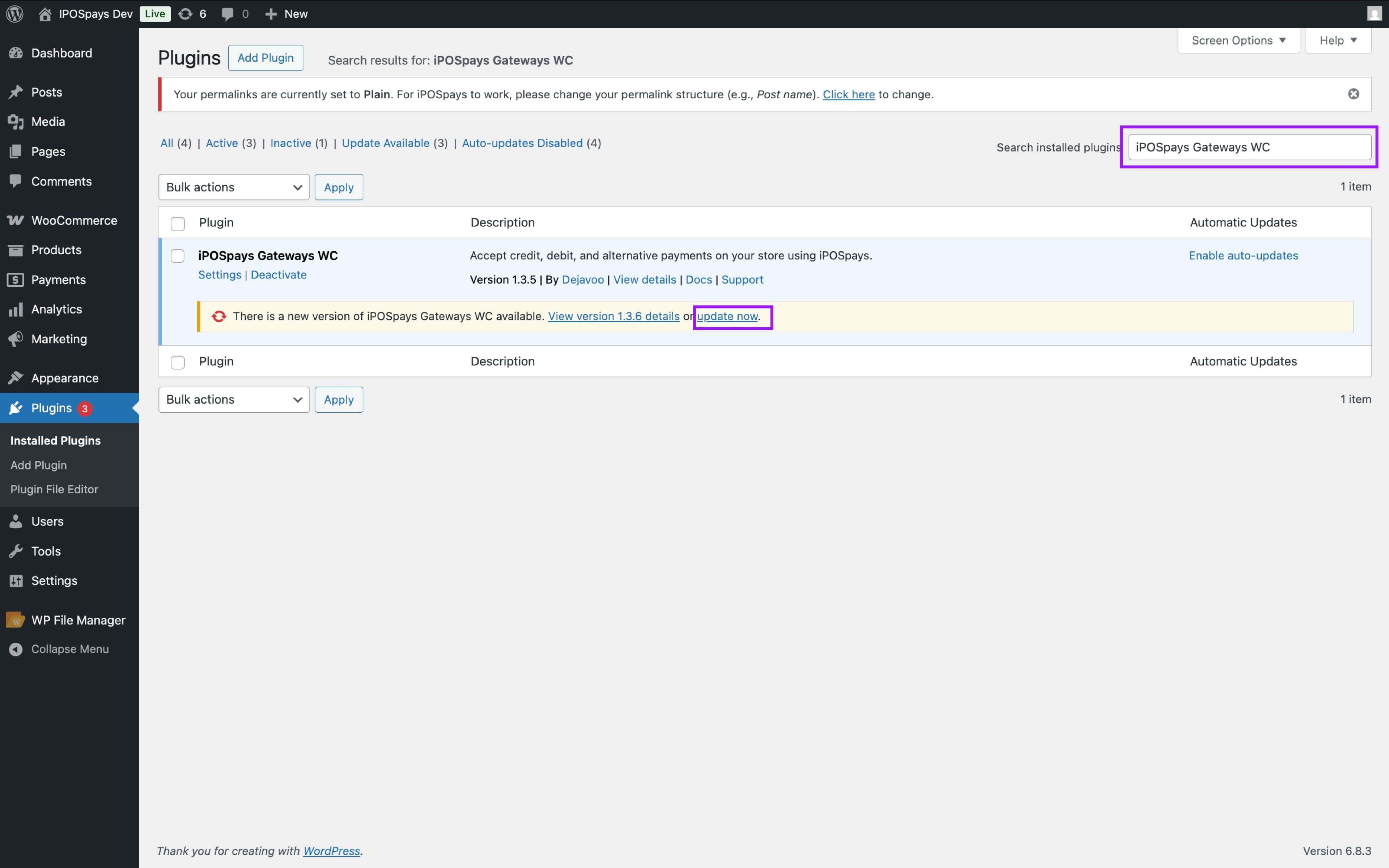
- Under Installed Plugins, you will see a notification indicating that a new update is available. Click Update Now to manually update the plugin.
Method 2: From Updates
Alternatively, you can update the plugin through the WordPress Updates section:
-
In the WordPress Dashboard, click Updates.
-
Select the checkbox for iPOSpays Gateways WC.
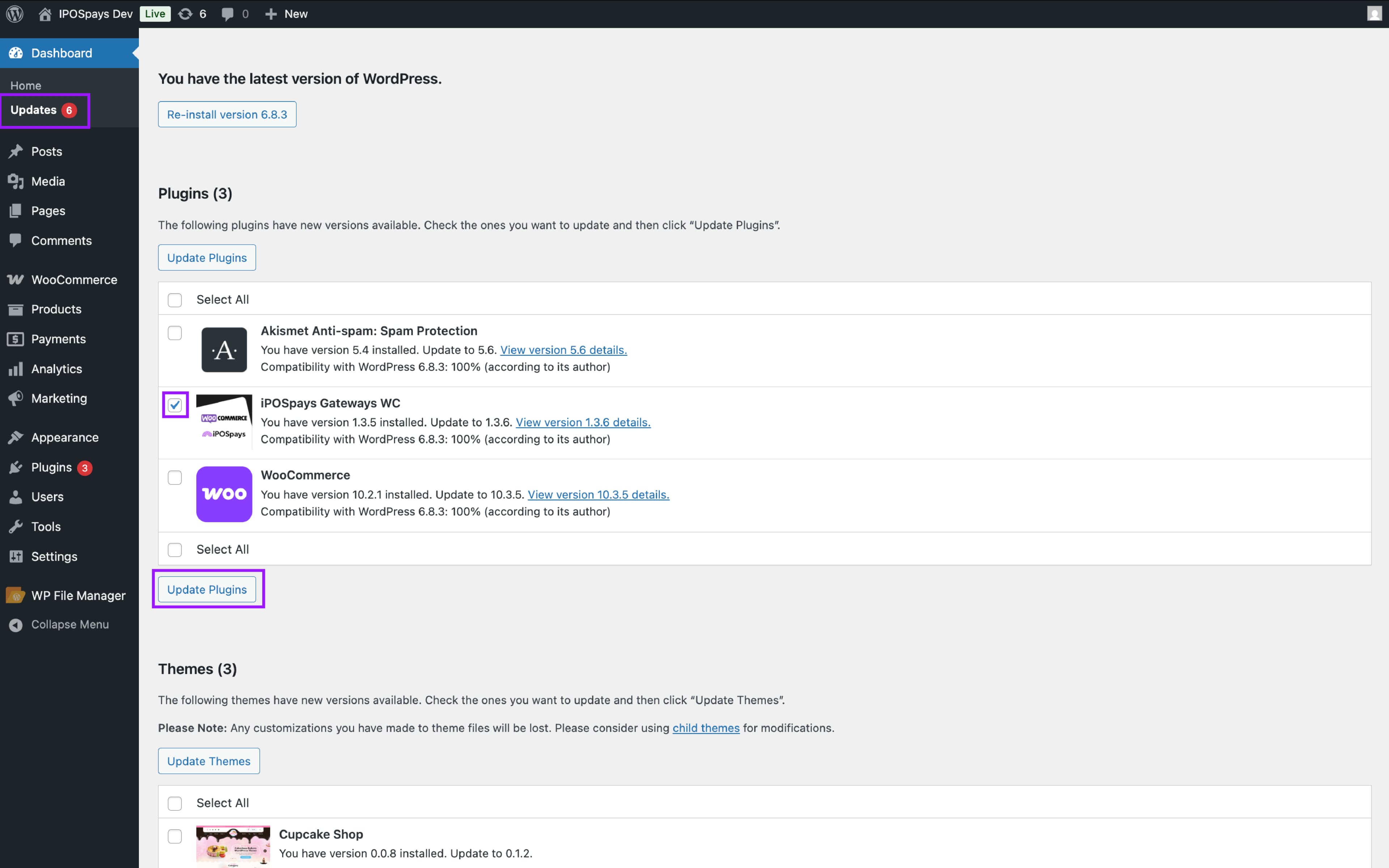
- Click Update Plugins.
Your plugin is now successfully updated.